
The participant list in the Replay tab lets you pick who to watch, show their trail or full track, and compare how long each person spent moving and stopped.
Finding the list
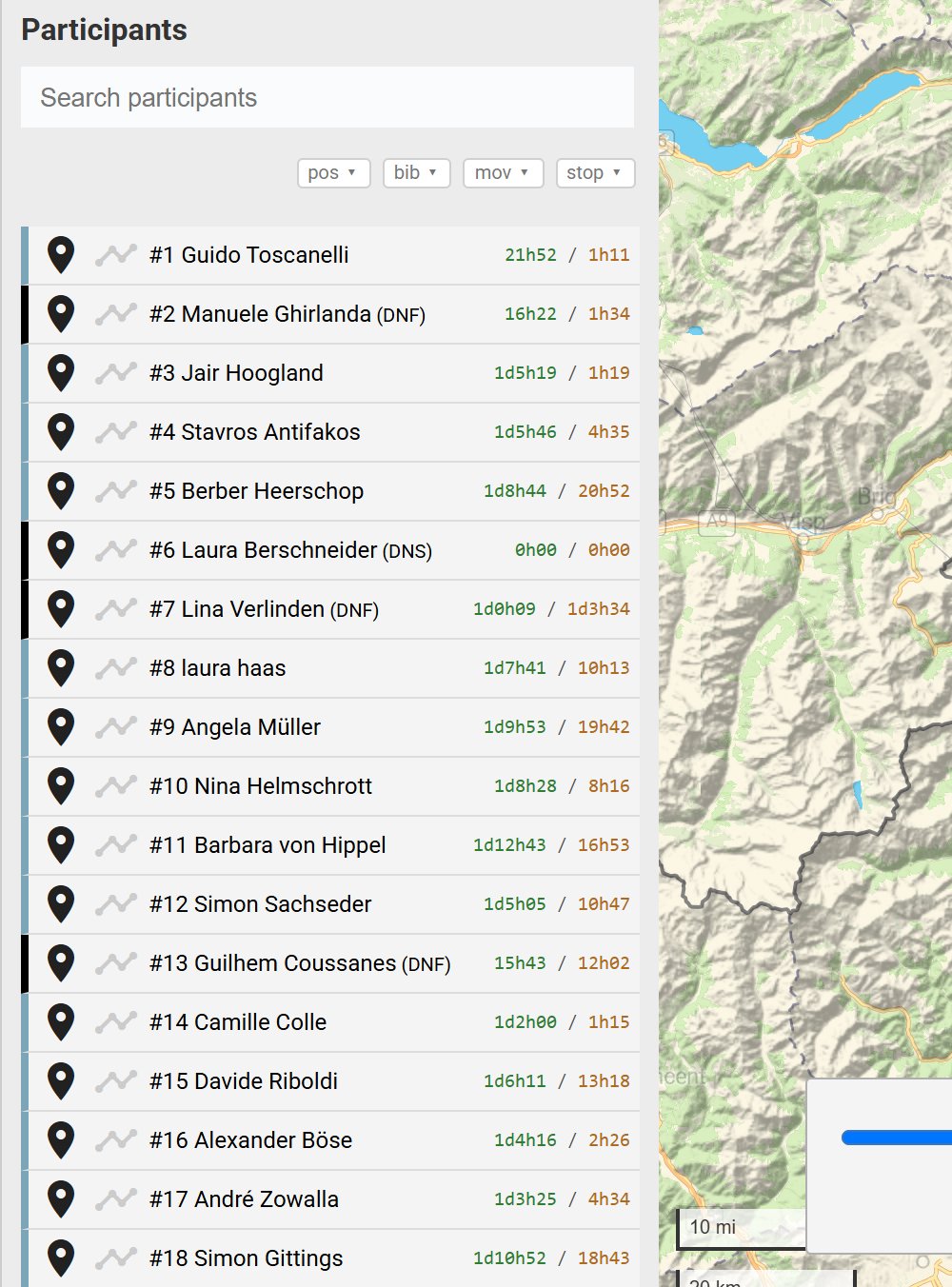
On a computer, the list sits on the left-hand side of the REPLAY tab, below the controls. On a phone, tap Replay Menu at the top left and scroll down. Each row shows the participant’s number and name, with a coloured bar that matches their dot.
Searching
Type in Search participants at the top of the list. The list narrows to names that match as you type. Search by name only, because numbers don’t match here.
Showing or hiding a dot
Click the pin icon on the left of a row to hide that participant’s dot. Click it again to show the dot. Hover over a dot on the map to see who it is.
Trails and full tracks
- Trail: click the line icon next to the pin. The trail shows where the participant has been up to the current replay time, so it grows as the replay plays.
- Full track: click the participant’s name. Their whole route shows at once, whatever the replay time. The name turns bold while the full track is on.
Click the same icon or name again to switch it off, or use Clear Trails to switch off all of them.
Overnight stops
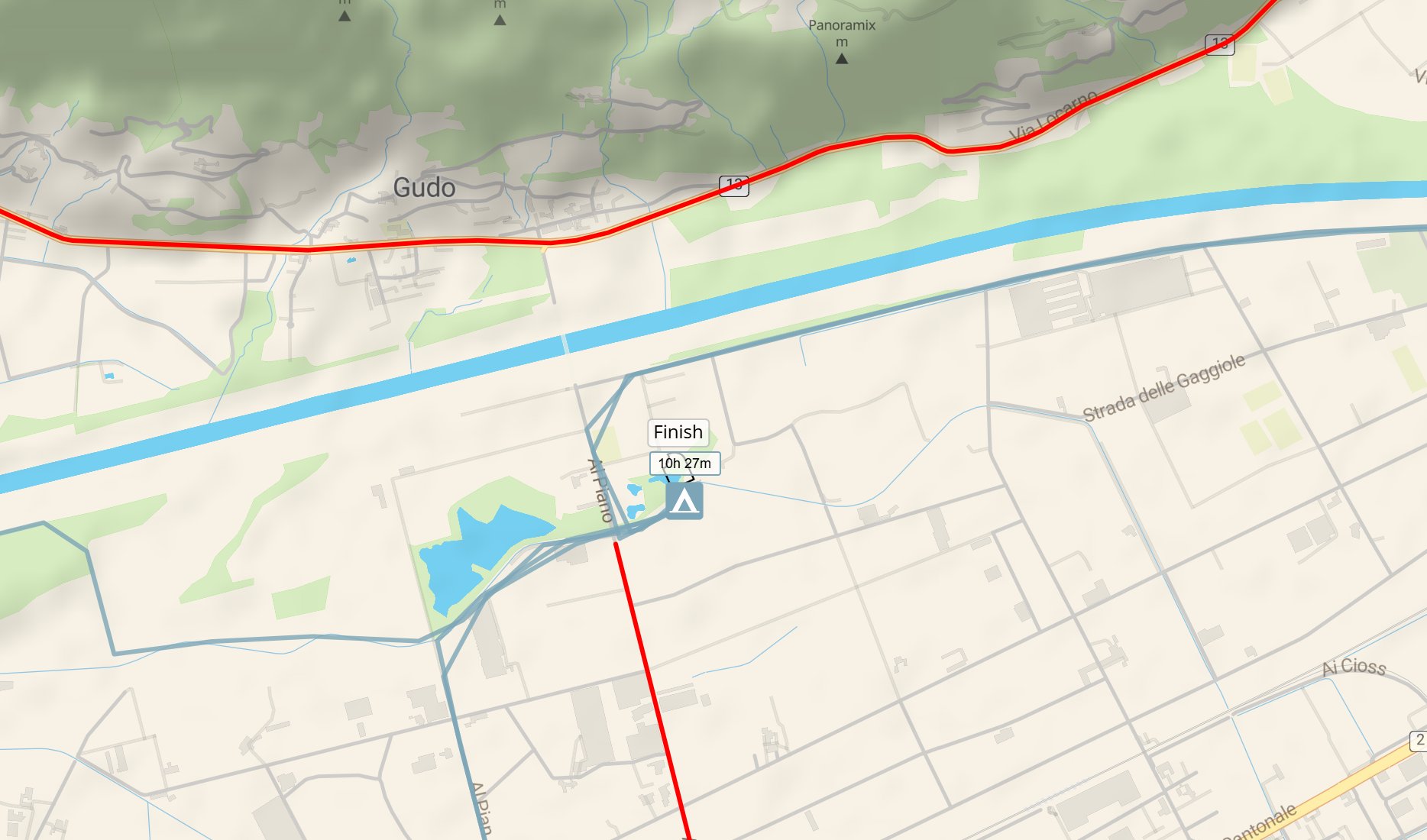
When a trail or full track is on, a tent marker shows each place the participant stopped for a long break, such as an overnight sleep. The label above the tent shows how long they stopped, for example 10h 27m. Hover over the tent to see whose stop it is.
Moving and stopped times
Each row shows two times on the right: moving time in green, then stopped time in orange. Both count up to the current replay time, so they change as the replay plays or as you drag the slider. Times over a day show days first, for example 1d3h03.
Use the buttons above the list to sort it:
- pos: by distance covered at the current replay time, so the list shows the standings at that moment.
- bib: by start number.
- mov: by moving time.
- stop: by stopped time.
Click × to go back to the normal order.
Related articles
Last reviewed: October 2026