
The Lead Change Timeline shows who has led each category, when the lead changed hands and how long each leader held it.
Opening it
In the Analytics tab, choose Lead Change Timeline from Jump to, or scroll down.
How to read it
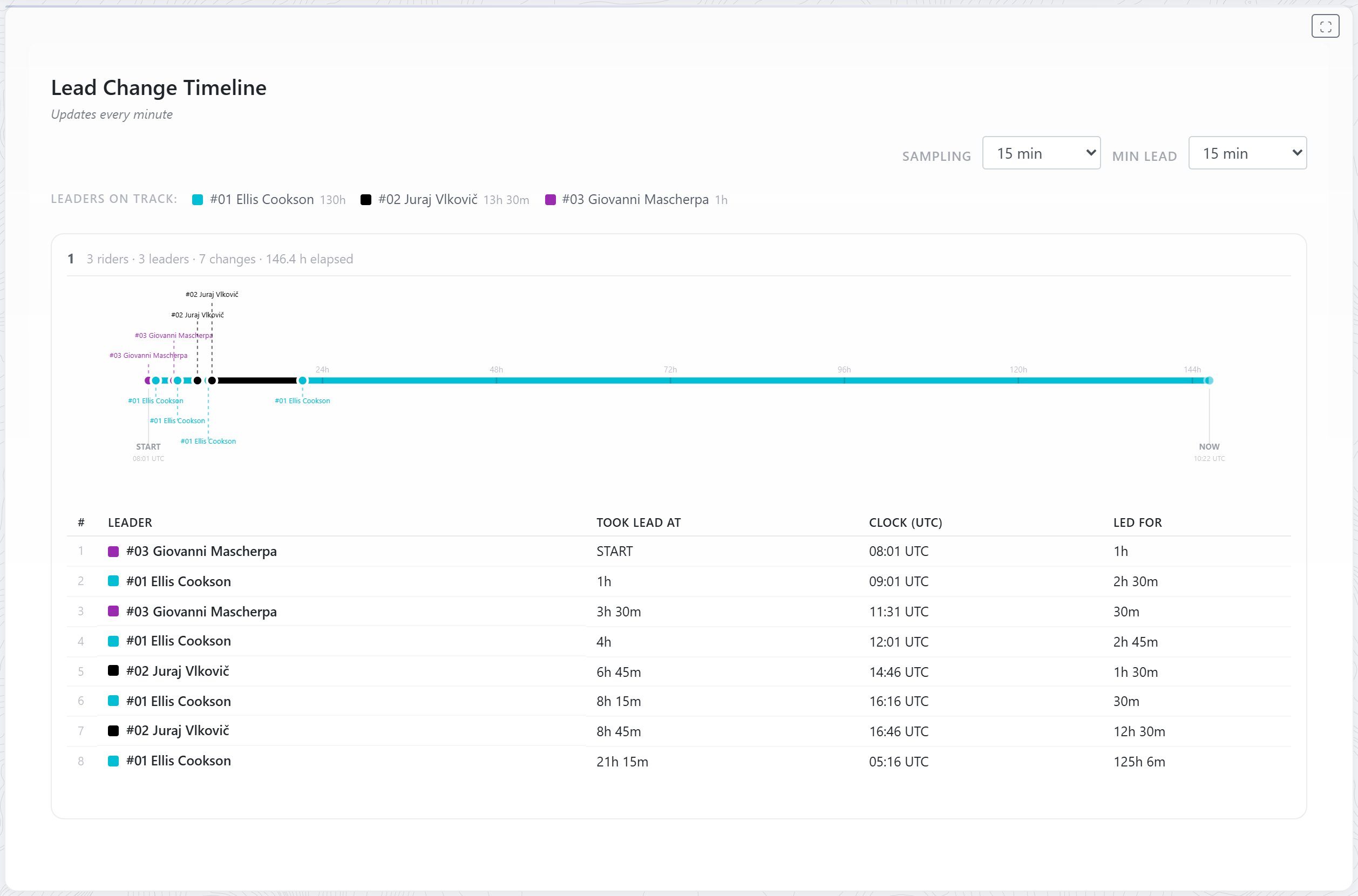
- Leaders on track: at the top lists everyone who has led, with their colour and the total time they’ve been in the lead.
- There’s a timeline for each category. Its heading shows the number of participants, leaders and lead changes, and the hours since the start. When a category is over it also says Race finished.
- Each timeline runs from START to NOW, or to FINISH once the category is over. Each marker is a lead change, labelled with the new leader. The line takes the colour of whoever was leading.
The table under each timeline lists every leader in order:
- Took lead at: time since the start
- Clock (UTC): the clock time
- Led for: how long they stayed in front
A dash (—) means nobody had taken the lead yet.
Changing the detail
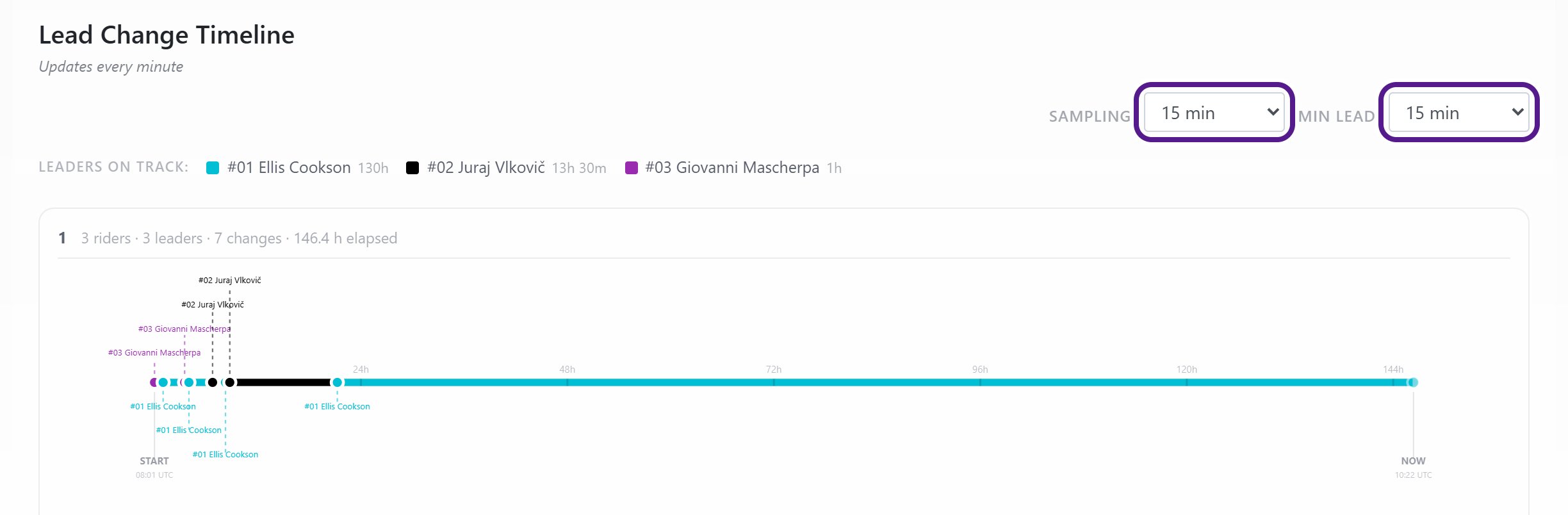
- Sampling: how much detail the timeline shows, a bit like a zoom level. Choose from 2 to 30 minutes. A shorter interval shows more detail.
- Min lead: hides brief swaps at the front. A lead change only counts if the new leader keeps the lead for at least this long. Choose All changes to see every swap.
If something is missing
The timeline follows each category’s rankings, so it depends on how the event is ranked.
Related articles
Last reviewed: October 2026