
On some events, the organiser holds back part of what the public map shows, for safety, for privacy or to keep the route a surprise. This article explains what you’ll see when that happens.
Tracking delay
On some events, the public map runs a set time behind real life. Dots show where participants were a while ago, not where they are now.
- Everything else works as usual. Dots move, tracks grow and the Leaderboard updates, just later than real time.
- Seen and Last Report are never less than the delay. With a 60-minute delay, for example, the newest position you can see is at least 60 minutes old.
- It’s there for safety, so nobody can use the map to meet a participant on the road.
- Don’t use the map to work out where to meet someone. Their real position is further on.
Routes, segments and checkpoints that appear later
On some events, the route, the GPX segments or some checkpoints are hidden until a set time, such as the start. They then appear on the map by themselves, so you don’t need to reload the page.
- Before that time, the map may show participants with no route, or a route with no checkpoints.
Routes revealed in stages
On some events, the route is kept secret and revealed one section at a time as the field moves along it. A new section appears once enough participants have reached a certain point.
- Parts of the route ahead of the field may be missing. New sections appear as participants progress.
- The front of the race may be riding on a section you can’t see yet.
Positions moved on purpose
On a few events, positions are shifted by a random amount, so the map doesn’t show exactly where anyone is. You can still follow how the event is going, but not anyone’s precise location.
Geofenced participants
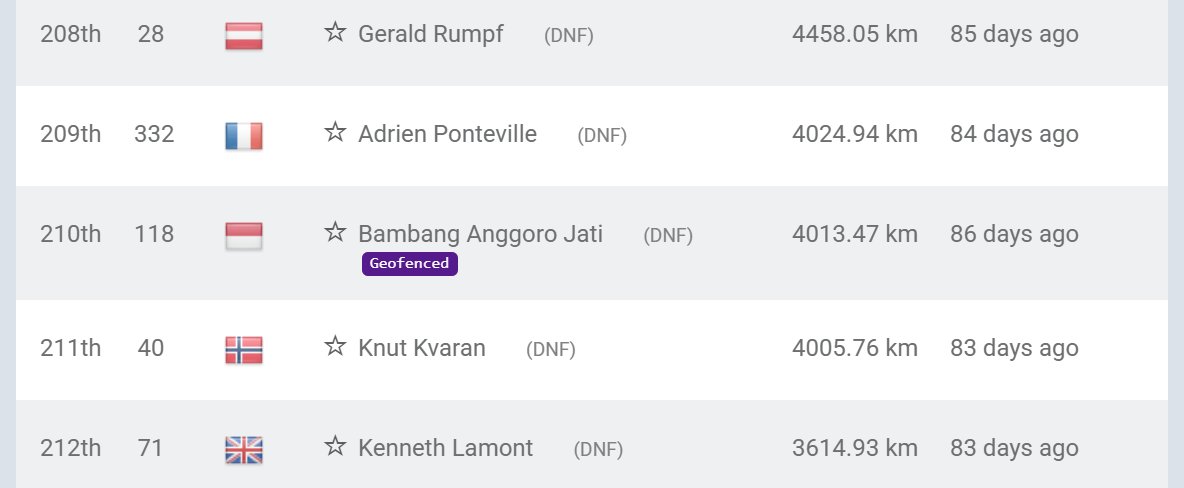
A geofenced participant has hidden their live position near a place such as their home. Their dot stays at their last point outside the area until they leave it. See Geofenced Participants.
The Event Notice
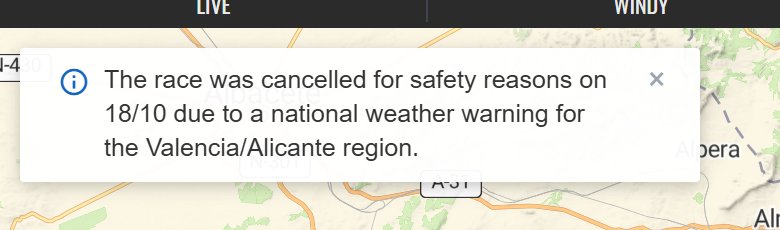
If a map has an unusual setting, the organiser may add an Event Notice. This is a small white card in the top-left corner of the map with a blue info icon. It explains what’s different, for example that rankings are hidden or that the event was cut short.
- Click the × on the card to close it.
- It stays closed while you have the page open, even if you reload.
- It comes back the next time you open the map in a new tab or window.
Other things that can be hidden
- Leaderboard: on some maps the organiser hides the Leaderboard tab or the rankings. See Leaderboard and Event-Specific Features.
- Checkpoints: some checkpoints are never shown on the map, but arrival times are still recorded. See Checkpoints.
When you might not see it
- Most events use none of these settings.
- Not every map with an unusual setting has an Event Notice. If something looks odd, check the event’s own website or social media.
- If you can’t see a route or checkpoints at all, check Tracks and Display in the Filters first. See also Troubleshooting.
Related articles
Last reviewed: October 2026