
Recent Progress shows who has covered the most distance in the last 6 hours and the last 24 hours.
Opening it
In the Analytics tab, choose Recent Progress from Jump to, or scroll down.
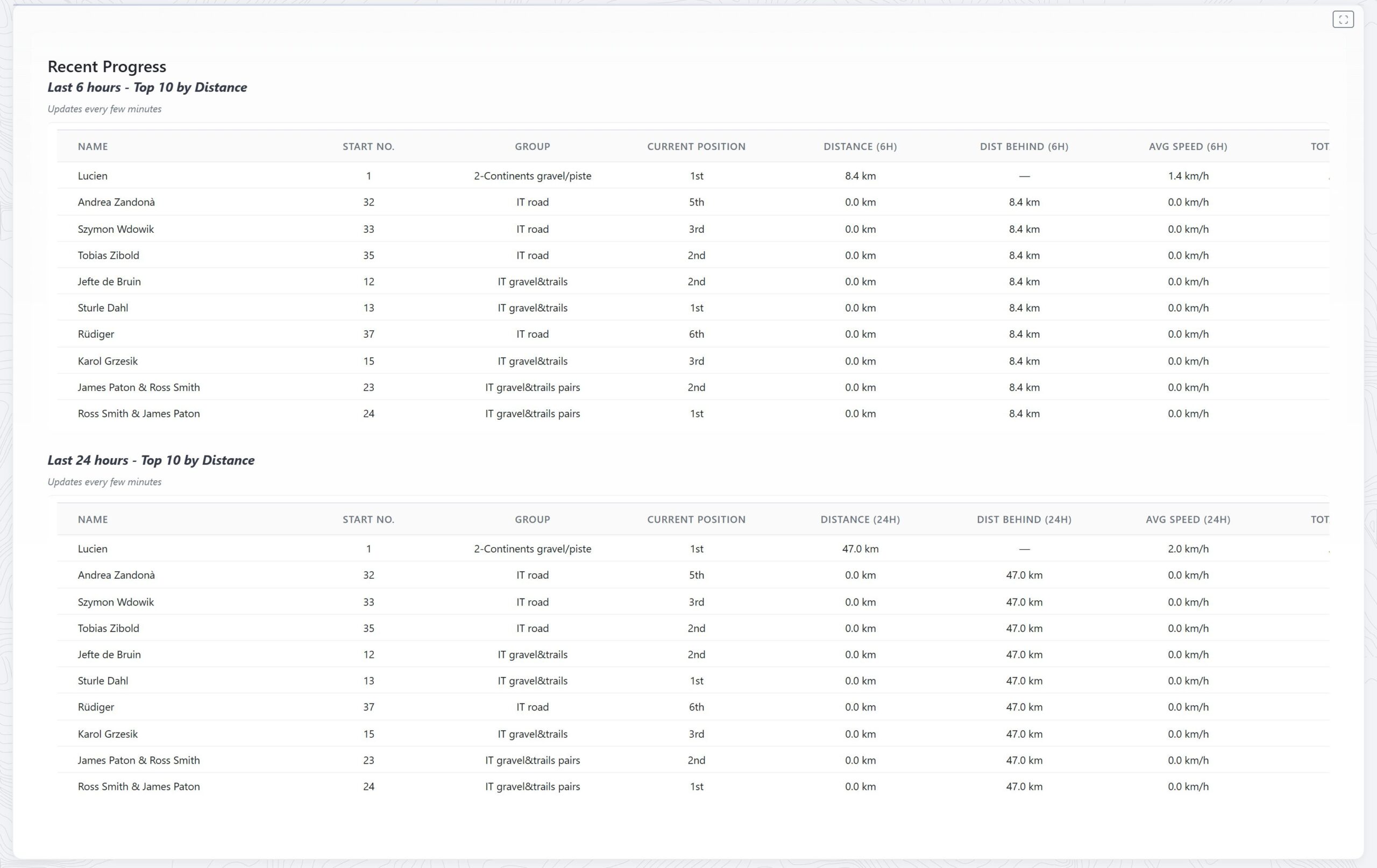
How to read it
There are two tables, Last 6 hours – Top 10 by Distance and Last 24 hours – Top 10 by Distance. Each lists the 10 participants who covered the most ground in that period, with:
- their Current Position in the event
- the distance they covered in that period
- Dist Behind: how much less they covered than the participant at the top of the table
- their average speed over the period
- their Total Distance so far
It’s a good way to spot momentum. A participant well down the overall rankings who appears near the top here is gaining ground. On long events, where a fast start can open big gaps, it shows who is keeping up their pace.
When you might not see it
Recent Progress only appears while the event is running. Once the event has finished and the map stops processing new positions, the section is removed from the Analytics page.
In the last hours of an event, as more participants finish or stop, the tables get shorter and the distances smaller.
Related articles
Last reviewed: November 2026