
The Windy tab shows detailed weather forecasts from Windy over the event area, with participants, routes and checkpoints on top.
Opening the Windy tab
Click or tap WINDY at the top of the map page. The map opens on the wind forecast. Animated streaks show the wind direction, and the colours show its strength.
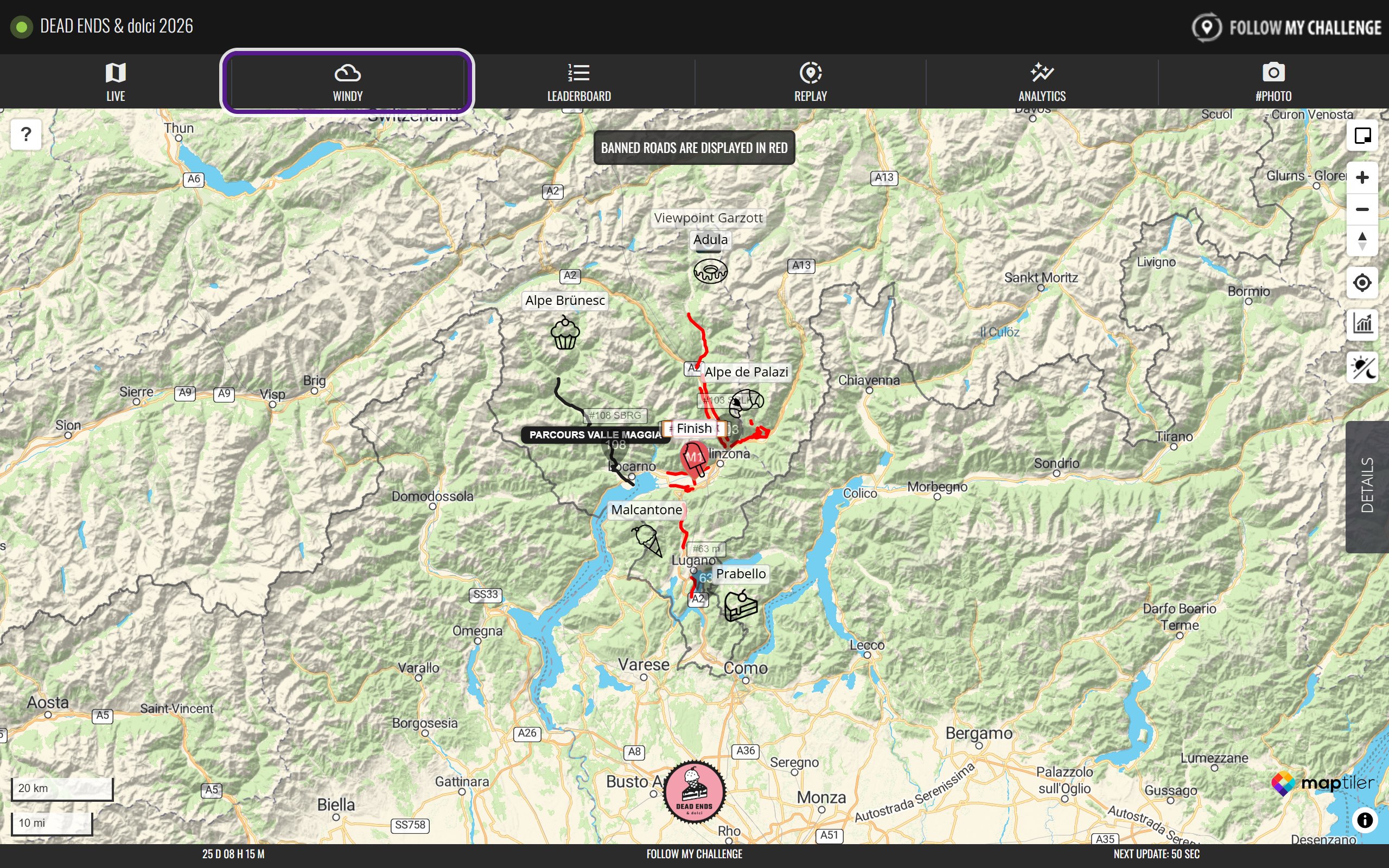
Participants’ dots, routes and checkpoints sit on top of the weather, so you can see what conditions are coming along the course. Use the + and − buttons on the right, or scroll, to zoom.
Choosing a weather layer
- Click Change Layer at the top right.
- Pick a layer from the menu: Satellite, Wind, Rain, thunder, Temperature, Clouds, Waves, Air quality or Pressure.
- Click the red × to close the menu.
Some layers have more options underneath once you pick them:
- Wind: Wind gusts and Wind accumulation.
- Rain, thunder: Rain accumulation, New snow, Snow depth and Precip. type.
- Temperature: Dew point, Humidity and Freezing altitude.
- Clouds: High clouds, Medium clouds, Low clouds, Fog, CAPE Index and Thermals.
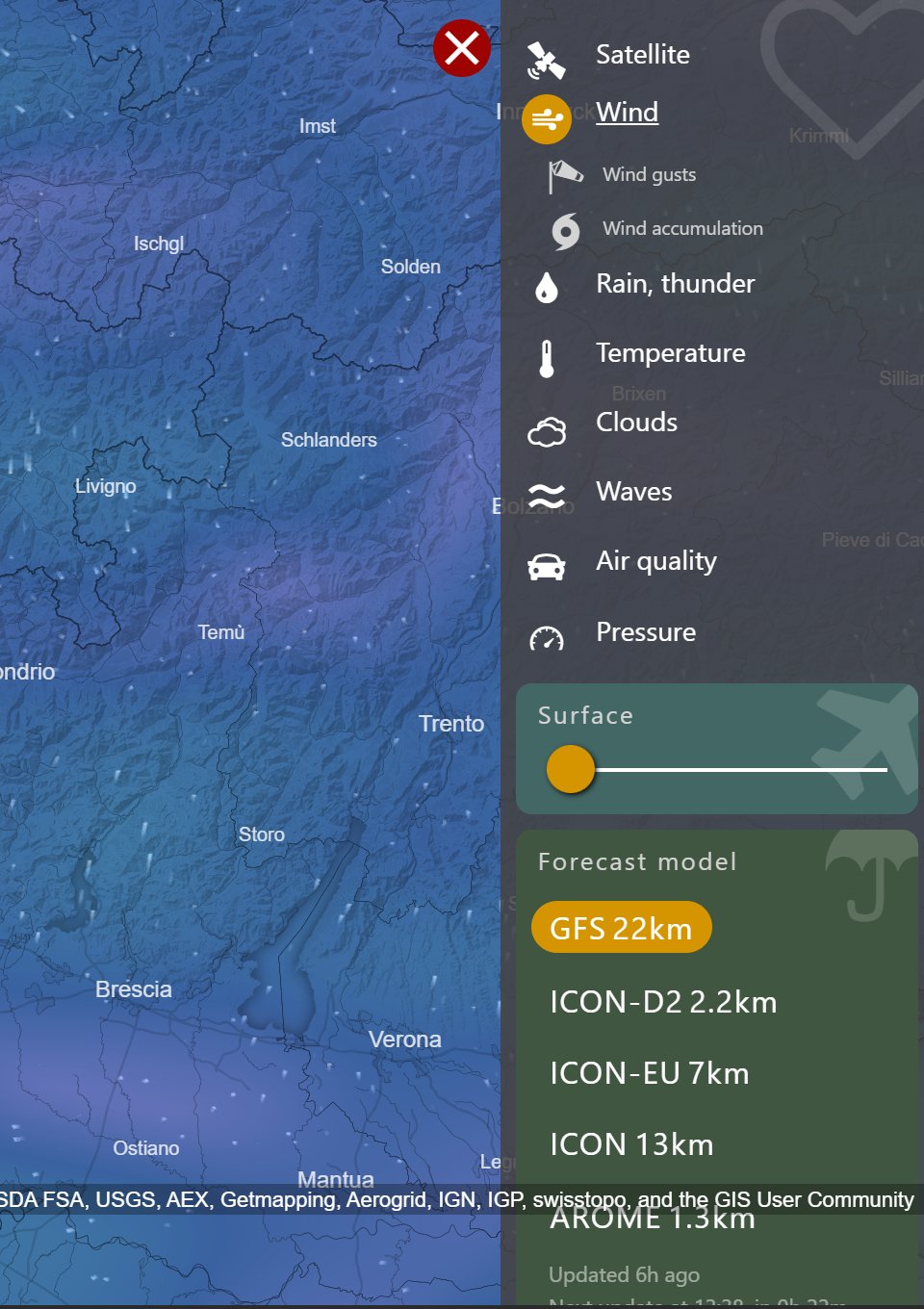
The same menu has a slider for height, starting at Surface, and a Forecast model list. The models on offer depend on the area. Most people can leave both alone.
Playing the forecast
The timeline along the bottom shows the day and time of the forecast on screen.
- Click the play button at the bottom left to watch the forecast change hour by hour. Click it again to stop.
- Drag the orange time label to jump to a particular day and time.

Checking the weather at one spot
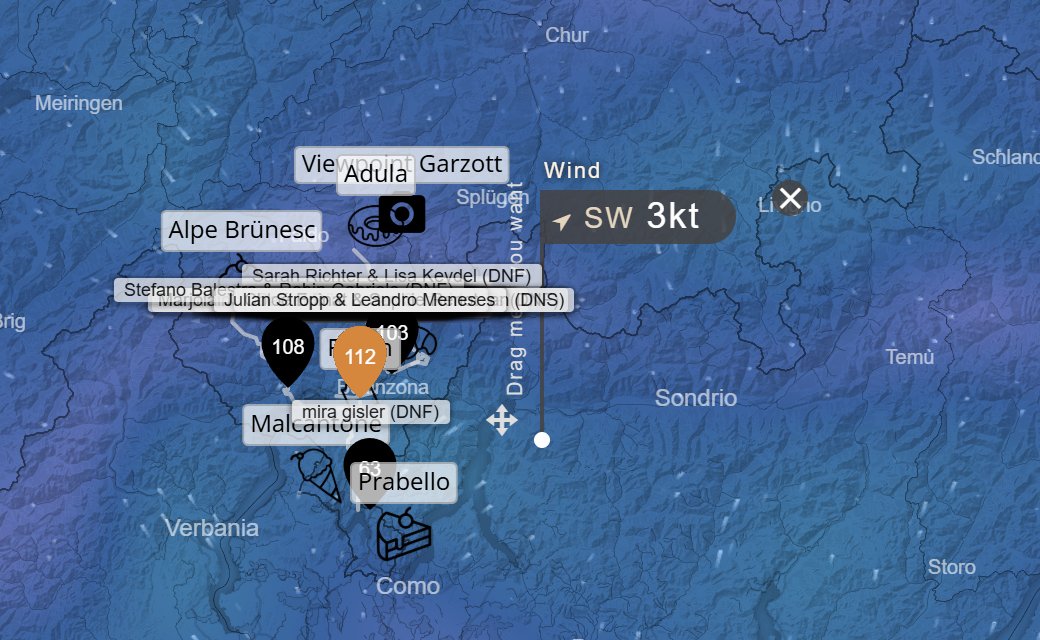
Click anywhere on the map to drop a pin. A label shows the conditions there for the layer and time you’ve picked, for example wind speed and direction, or snow depth. Move the timeline to see how it changes. Click the × on the label to remove it.
Good to know
Windy always shows the current forecast. For an event that has finished, it shows today’s weather, not the conditions during the event.
If the tab is missing
Organisers can hide tabs they don’t need, so some maps don’t have a Windy tab.
Related articles
Last reviewed: October 2026