
Action Controls is the toolbox at the top of the Details panel. Use it to change the map layer, open Minimal Mode, add your own GPX route, measure distances, share your favourites, and set the language and units.
Opening Action Controls
- Click or tap DETAILS on the right-hand edge of the Live map.
- Click the ACTION CONTROLS bar to open or close it.
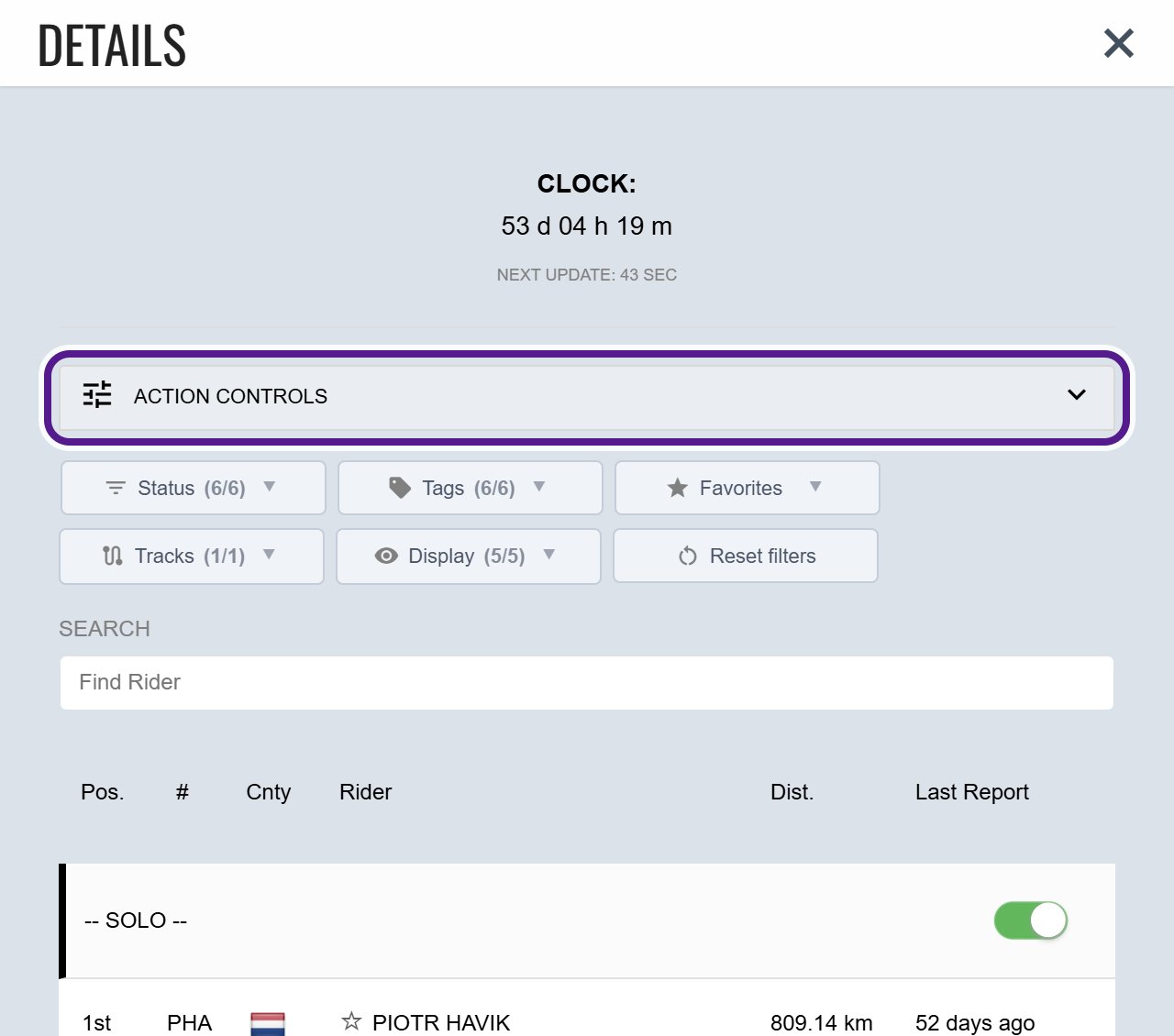
It can start closed, and always does on a phone or small screen.
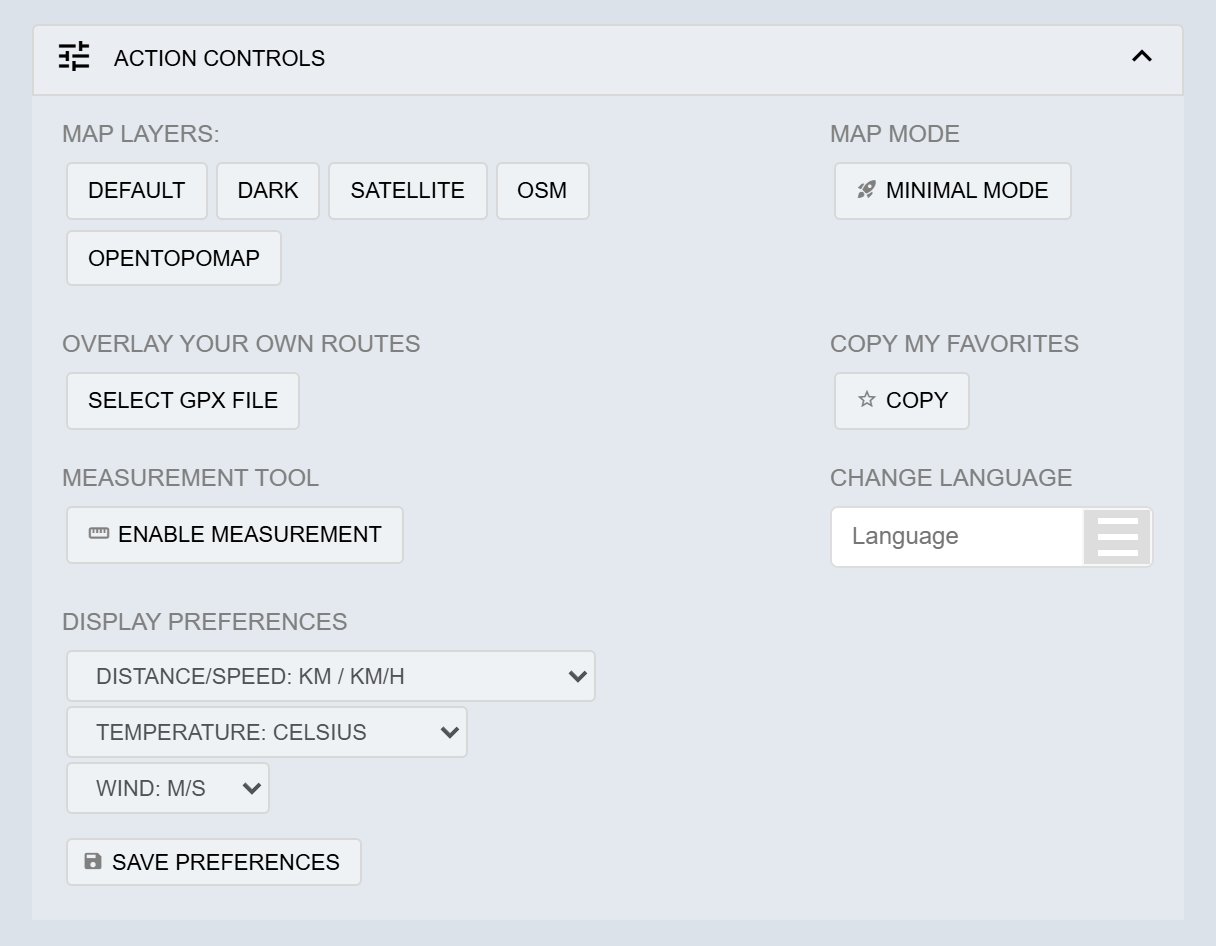
Map layers
Under MAP LAYERS:, choose the base map: DEFAULT, DARK, SATELLITE, OSM or OPENTOPOMAP. Some events add more. See Map Layers.
Minimal Mode
Minimal Mode is a very light version of the map for weak mobile signal or older, slower devices.
- Under MAP MODE, click MINIMAL MODE.
- The map reloads in Minimal Mode.
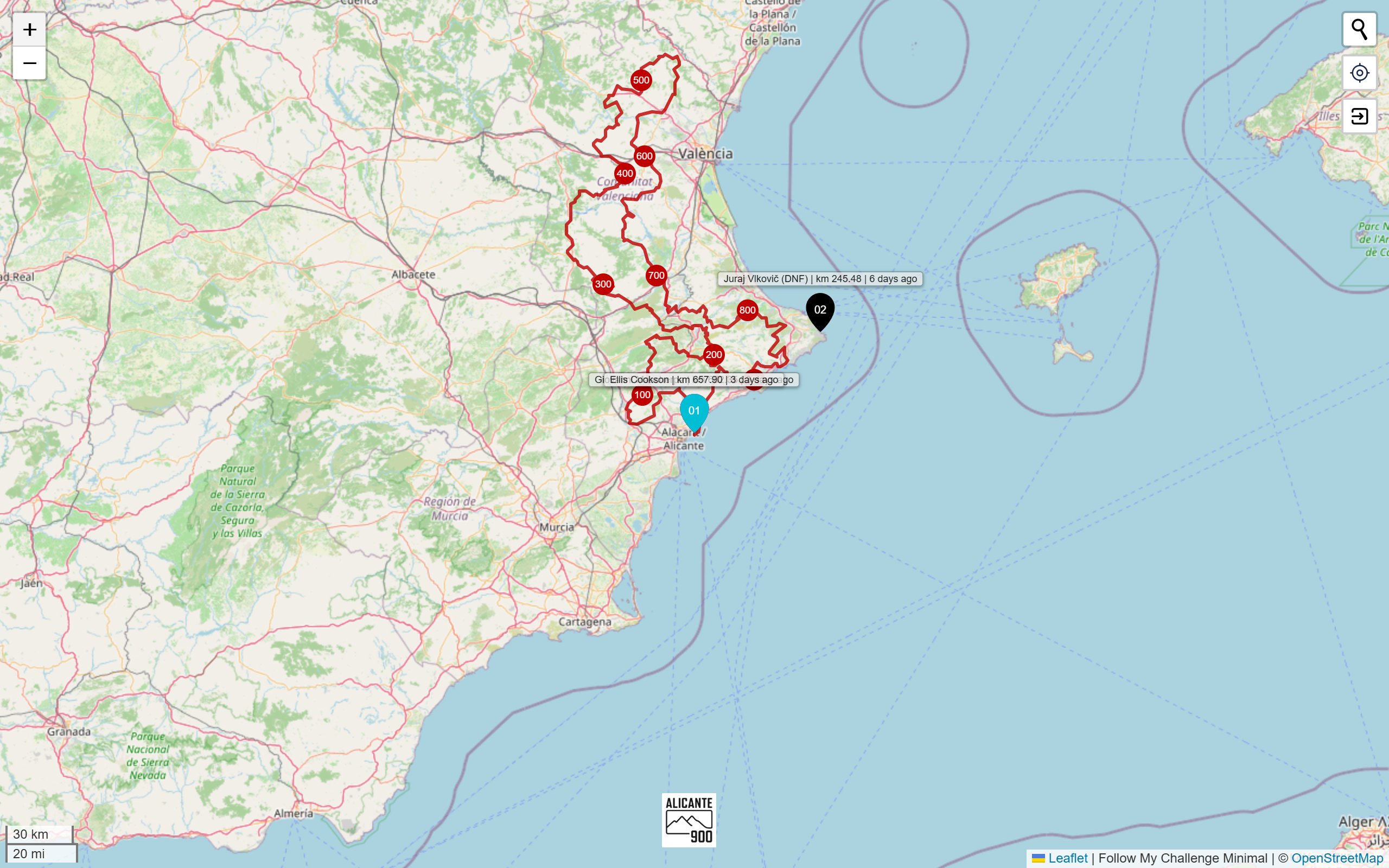
Minimal Mode shows the plain OpenStreetMap map with participant markers and checkpoints. Each label gives the participant’s name, distance and time since their last report. There’s a place search and a find-my-location button. There’s no Details panel, no participant tracks and no weather.
Overlay your own routes
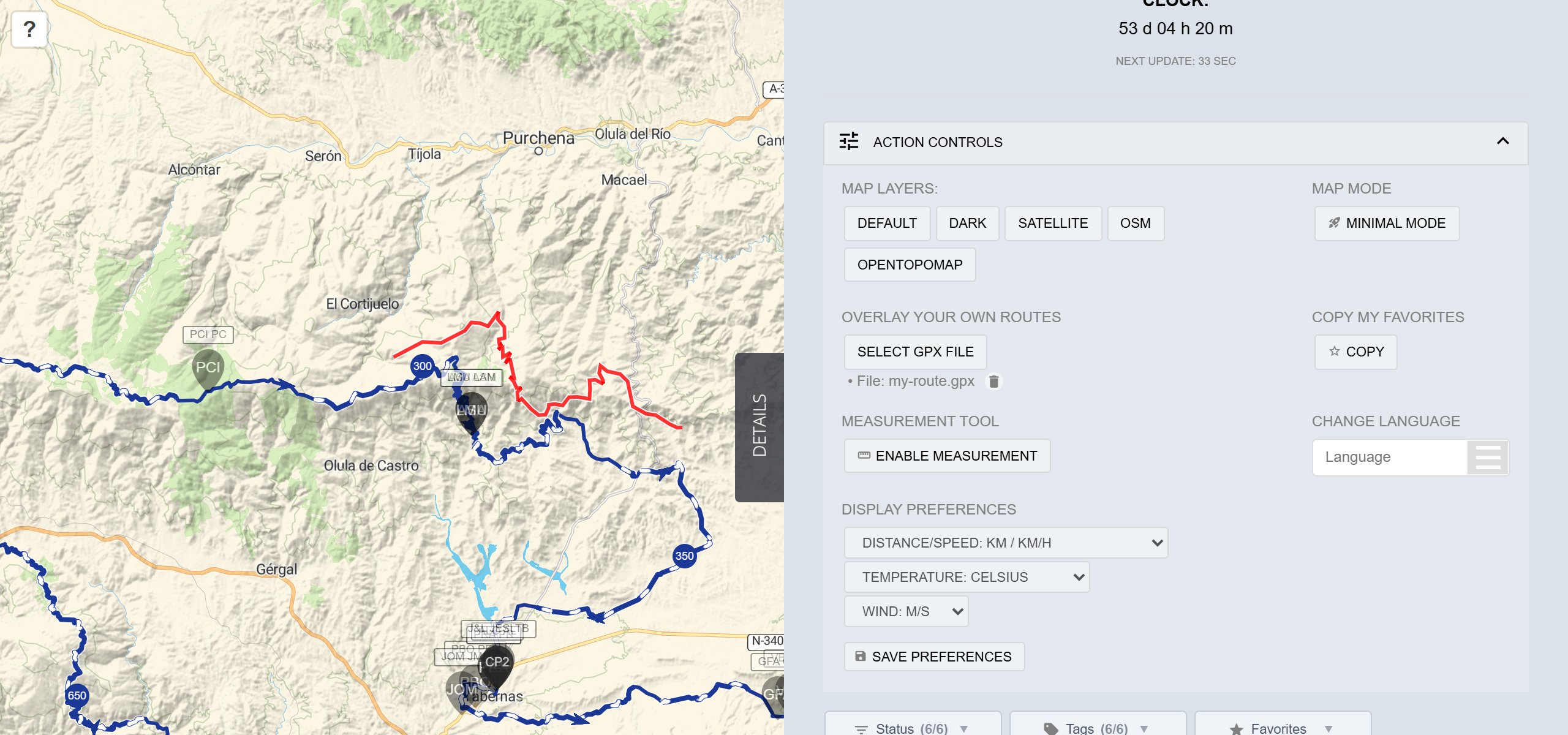
Add a GPX route file from your device to compare it with the event route or the participants’ tracks. Only you can see it.
- Under OVERLAY YOUR OWN ROUTES, click SELECT GPX FILE.
- Choose a
.gpxfile. The route is drawn on the map, and the file name appears under the button. - To remove it, click the bin icon next to the file name.
You can add more than one file. Long routes make large files, so Wi-Fi helps.
Copy My Favorites
Your favourites are saved in this browser only. To move them to another device, or send them to a friend:
- Under COPY MY FAVORITES, click COPY.
- A message confirms that a link with your favourites has been copied.
- Paste the link wherever you need it. Opening it loads the map with the same favourites.
See Sharing a map.
Measurement tool
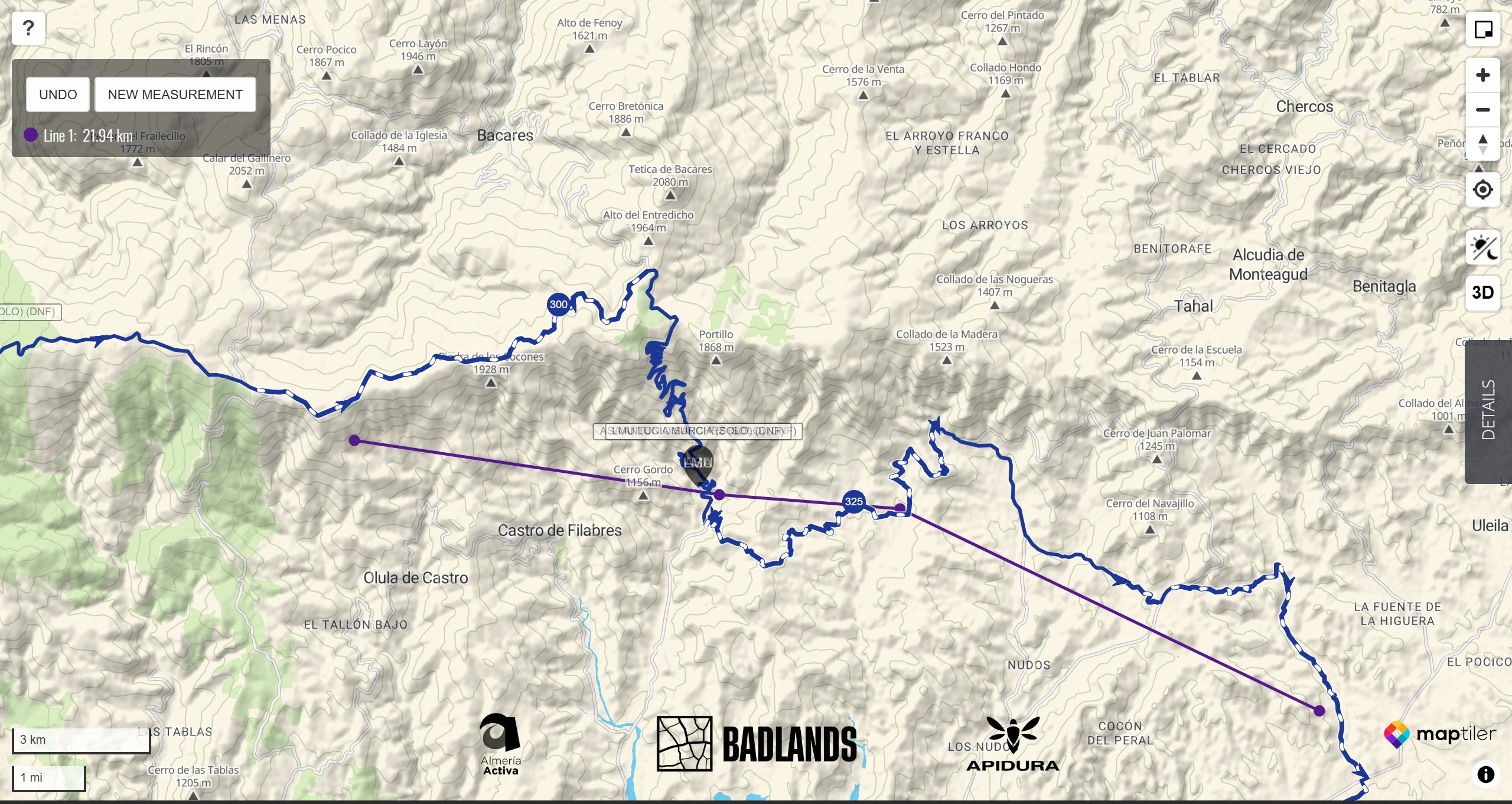
- Under MEASUREMENT TOOL, click ENABLE MEASUREMENT.
- Click points on the map to draw straight lines. The total distance shows in a box at the top left.
- Click UNDO to remove the last point, or NEW MEASUREMENT to start another line.
- Click DISABLE MEASUREMENT when you’ve finished.
Change language
Under CHANGE LANGUAGE, open the Language menu and pick a language. Choose from English, French, German, Spanish, Polish, Traditional Chinese and Simplified Chinese. The map menus change straight away, and your choice is remembered.
Display preferences
Under DISPLAY PREFERENCES, set each of these separately:
- distance and speed: km, miles or nautical miles
- temperature: Celsius or Fahrenheit
- wind: m/s, mph, knots or Beaufort
Then click SAVE PREFERENCES.
When it might not appear
- ACTION CONTROLS can start closed, and always does on phones and small screens. Click or tap the bar to open it.
- Minimal Mode has no Details panel, so you’ll need to go back to the full map to use these tools.
Related articles
Last reviewed: October 2026