
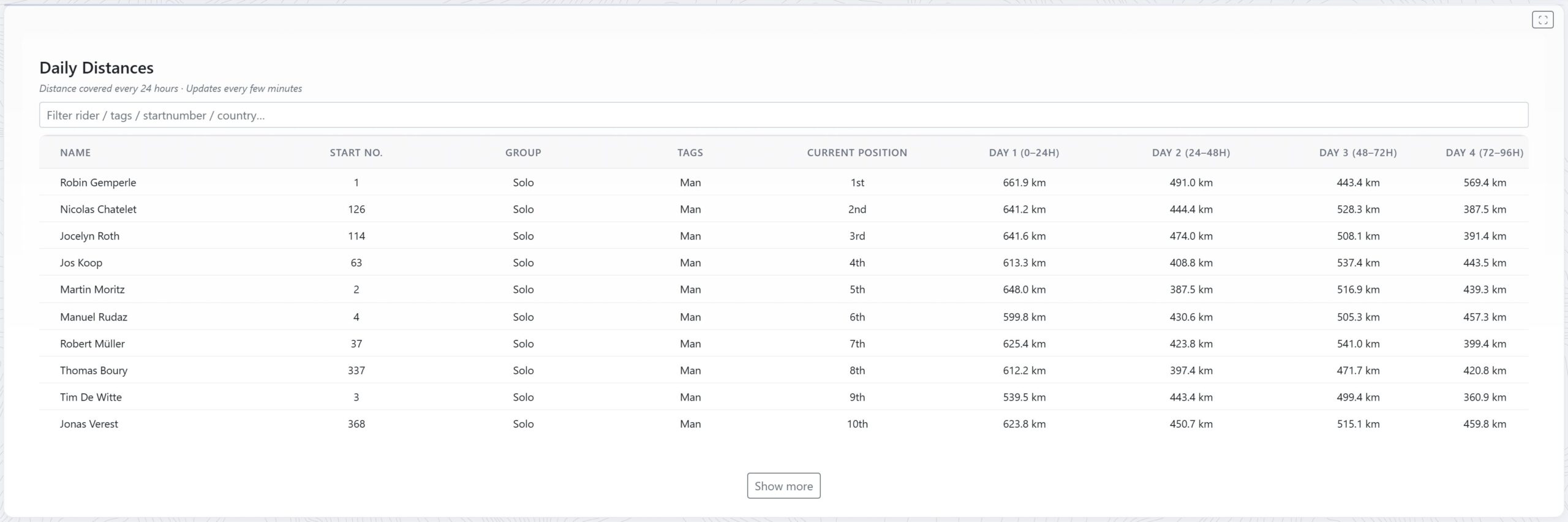
Daily Distances breaks each participant’s distance into 24-hour periods since the event started.
Opening it
In the Analytics tab, choose Daily Distances from Jump to, or scroll down.
How to read it
Each row is a participant. The columns Day 1 (0–24h), Day 2 (24–48h) and so on show how far they went in each period, and Total shows their distance so far. The days count from the start of the event, not from midnight.
- To see who rode furthest on a particular day, click that day’s column heading to sort by it.
- Use the Filter rider / tags / startnumber / country… box to find particular participants.
- The table shows 10 participants at first. Click Show more to add 10 more.
Related articles
Last reviewed: October 2026